
On many modern light twin helicopters, there is a built in training tool allows the in flight simulation of an engine failure to allow realistic but safe training. This “Training Mode” provides realistic visual and physical cues that allow pilots to experience an engine failure without the danger. Whilst they are a superb training tool, they can bite back if a pilot does not understand their limitations.
In this article we look at the available Training Modes on light twins which were designed for use during Category A training. We then look into some of the pitfalls with their use and the implications of use beyond the Category A environment.
Let’s dig in!
Contents
Training Mode Requirements
The certification of Category A for helicopters revolves around the safety of the aircraft and its occupants in the event of a critical power loss. Whilst Flight Simulation Training Devices (FSTD) provide a safe, high fidelity way of experiencing and learning about engine failures, there are huge benefits of a simulation of an engine failure in the real aircraft. FSTD just cannot (yet) match the true complexity of the real world with weather, traffic and a just a read world chaos.
Simulating limitations
One obvious method of simulating an engine failure is to retard one of the engines to a real idle state. However, this can lead to using the real engine One Engine Inoperative (OEI) ratings which is not good for the health of the engine. Our Training Mode needs to simulate using these limits without actually using them.
Secondary Effects
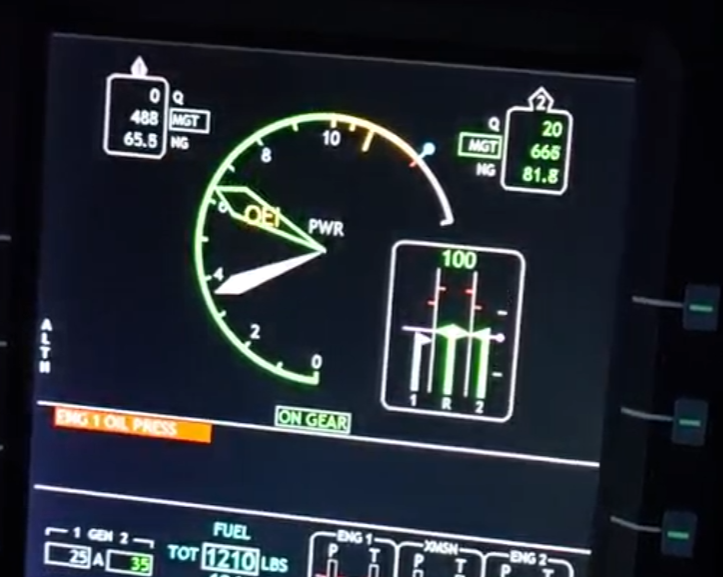
The effects of power loss need to be simulated. These effects can include changes to rotor speed response, a change of indications on the power display or even a change in the handling qualities or Automatic Flight Control System (AFCS) response. The automated takeoffs on H145 are modified if the engine fails – see our earlier article.
Exit Plan
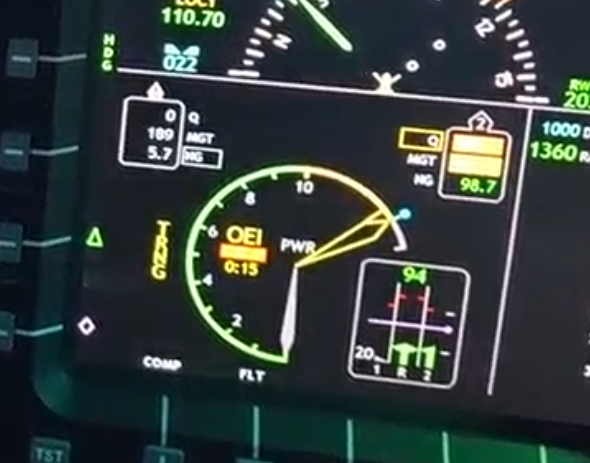
At the same time, the instructor needs to know what is really happening so typically not all of the displays will show simulated data. There also needs to be a means of exiting the mode manually and automatically if something actually goes wrong for real on the aircraft.
Examples
To understand what is available, let’s look at a few examples of Training Modes.
EC135
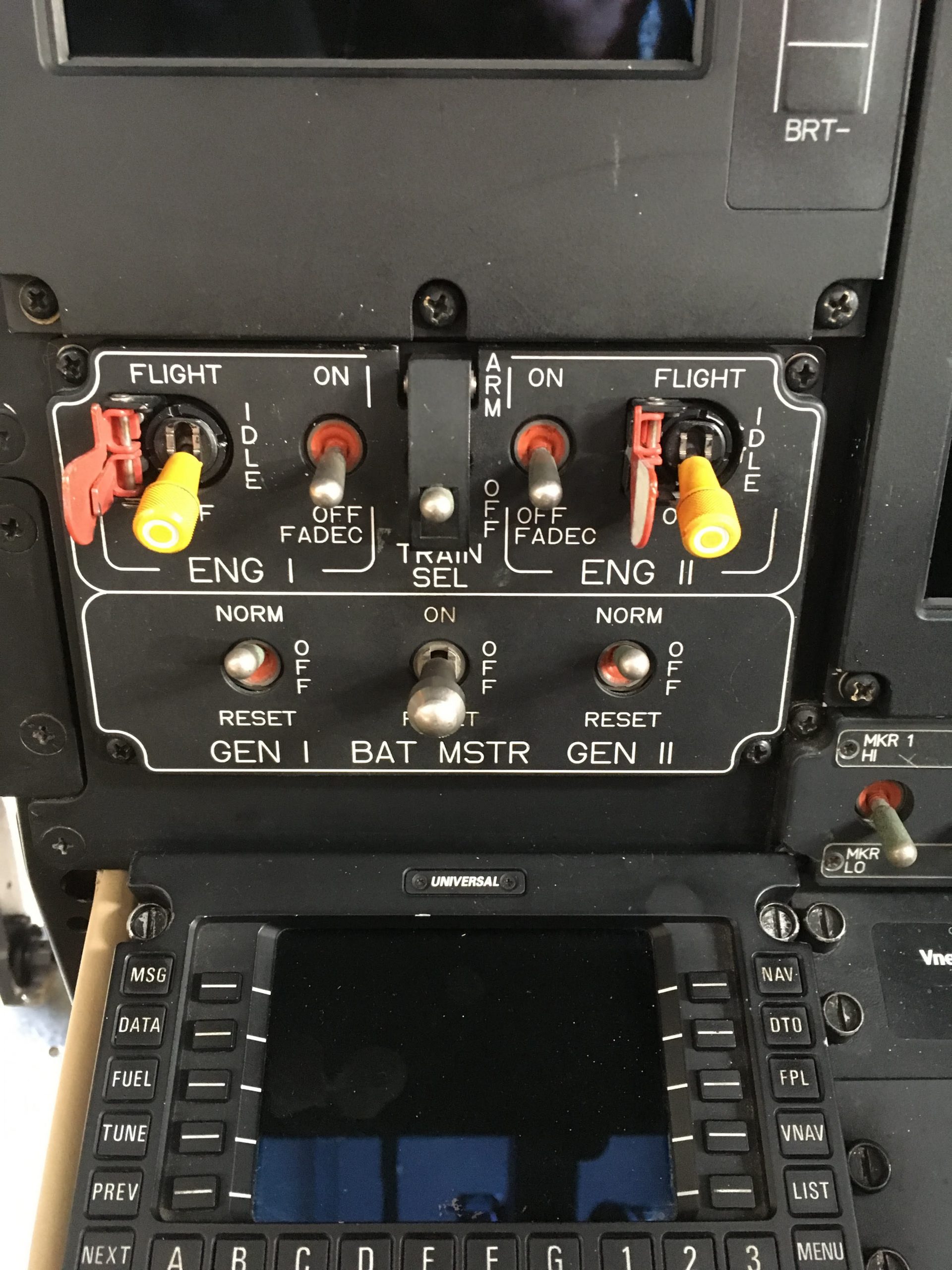
On the EC135, from the T2/P2 onwards a Training Mode was provided. This training mode has a dedicated switch to ARM it before the instructor moves the actual engine mode switch to IDLE to initiate the simulated emergency. This requires removing a guard on the engine switch; the second guard for the OFF position remains in place to prevent an accidental engine shutdown.
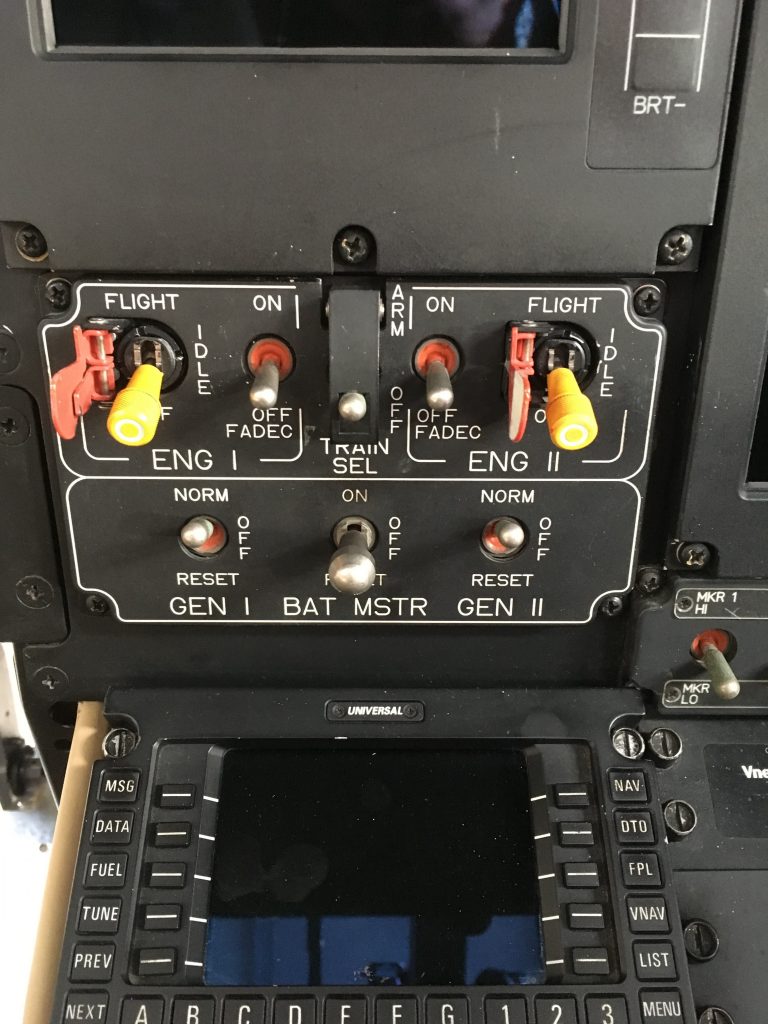
Once initiated, the Training Mode provides a realistic representation of the indications for OEI flight, including simulating limiting at a power level equivalent to the 2 min or 30 sec power rating as selected by the pilot using a Topping Select button. Should the pilot demand more power, the rotor speed droops.
Real indications
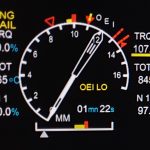
The Training Mode leaves the Instructor with the real indications of TQ, TOT and N1 for monitoring purposes but takes over the First Limit Indicator (FLI) to provide a simulated display. The actual Engine Failure warning is not shown in Training Mode to definitively separate the indications of real vs simulated. The engines both actually remain at flight, with power just being automatically limited to provide just OEI power.
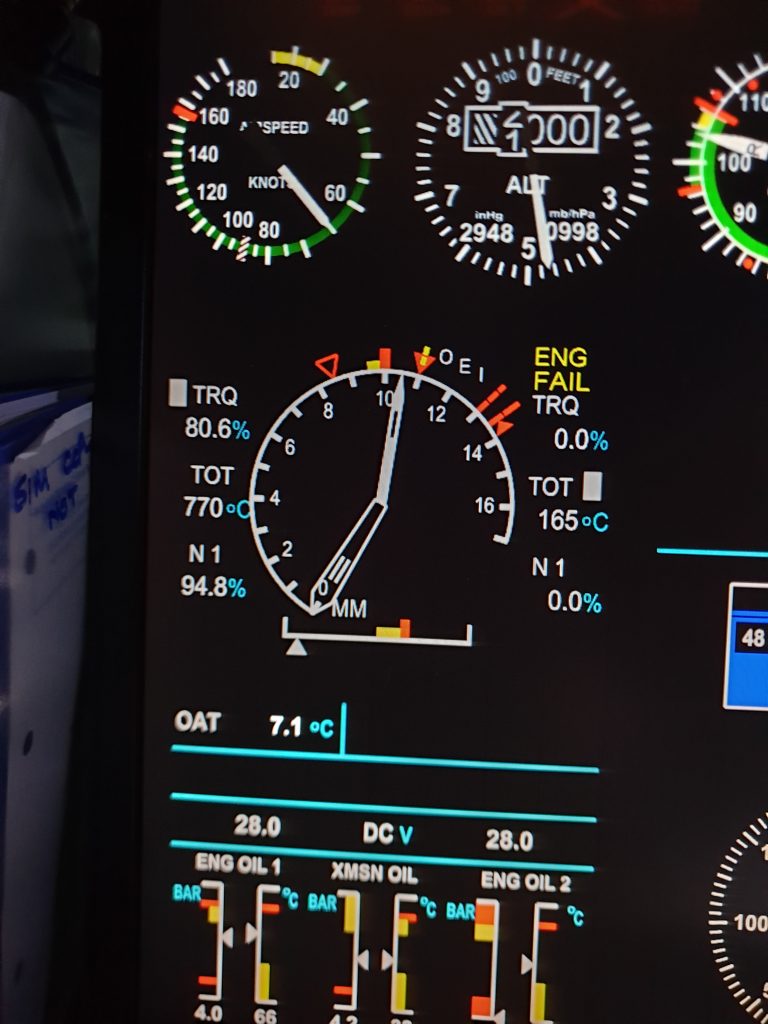
Should something real go wrong, such as an actual engine failure, the Training Mode automatically drops out. The Training Mode also disengages if the rotor speed is drooped below a set level.
Instructor intervention
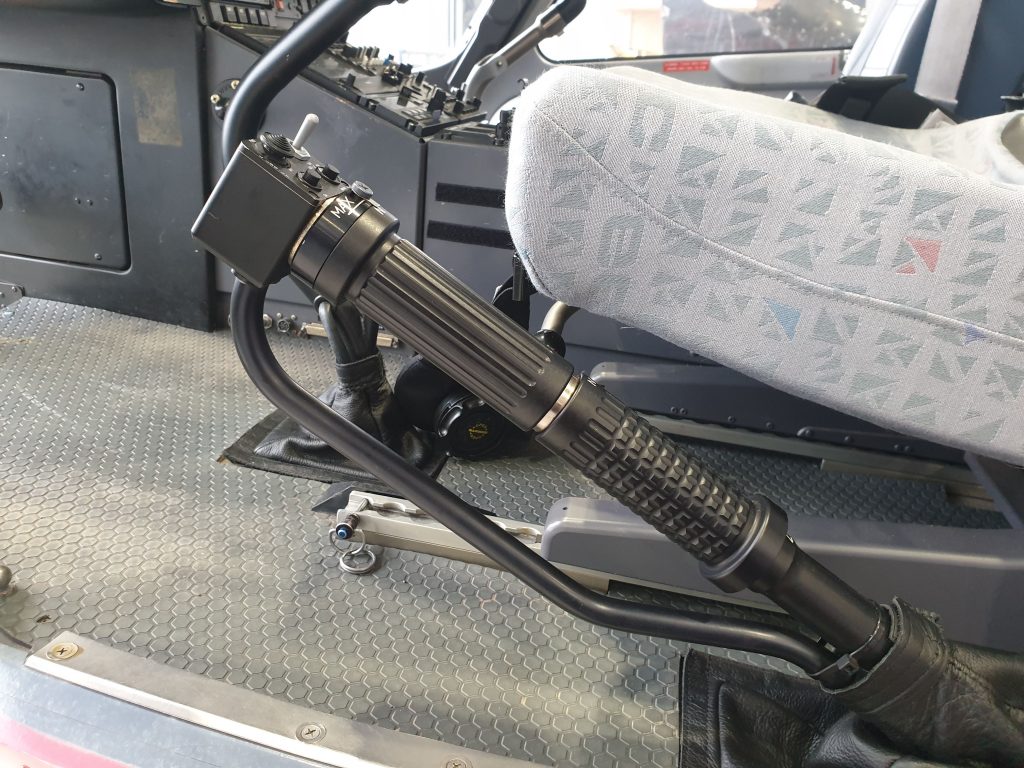
The instructor pilot is able to exit by resetting the Training Mode switch or by exploiting the protections by cracking a throttle away from neutral on the collective.
The Training Mode has a small flaw in that the instructor needs to arm it first. Should they miss that step, they end up actually retarding an engine to idle, with attendant risk of using the actual 2 min or 30 sec rating. Definitely an error to consider under Threat and Error Management (TEM).
H145
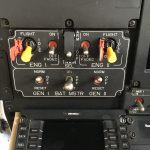
The H145 has a more refined system, which was actually available on the original EC135 as an optional modification. In the H145 Training Mode, the instructor just presses a button between the engine switches to initiate a training event.
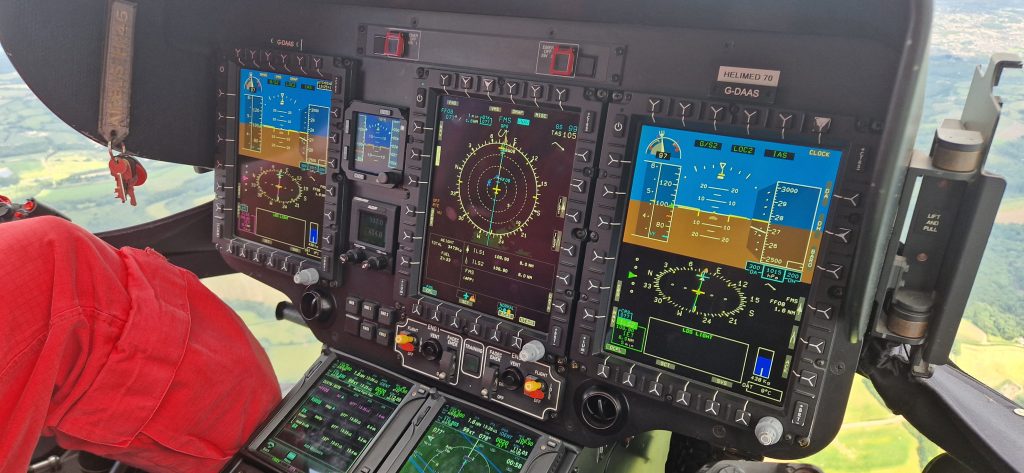
The instructor pilot again maintains some indications of the real state of the aircraft and the mode will automatically exit following a real failure or main rotor speed droop. Again both engines stay at flight, just with reduced power to simulate OEI.
On H145 the only way for the instructor to exit the mode manually is to press the Training Mode button again as they have no throttles on the collective. This can be an issue if the instructor needs to take control of the cyclic (right hand) whilst exiting the mode (also right hand!).
AW109E
On the AW109E, the Training Mode switch (OEI TNG) on the allows selection of a particular engine into a training mode. The switch is magnetically latched and will automatically jump back to off, deselecting Training Mode if one of the exit conditions is reached. For example if the rotor speed droops to 87%.
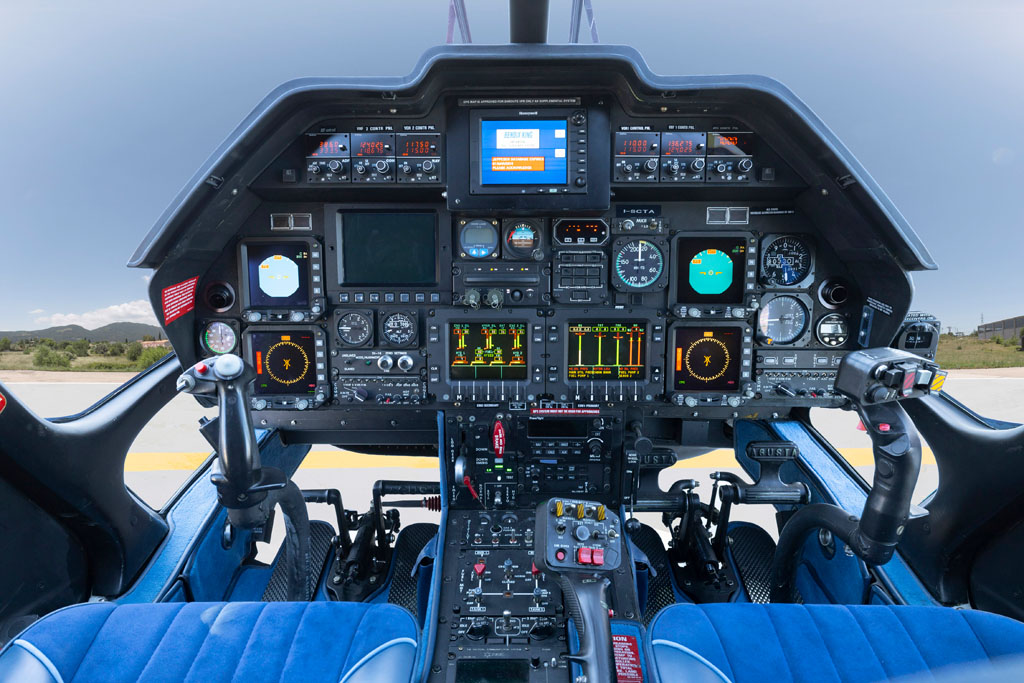
The instructor can also use the switch to manually exit the Training Mode. Alternatively, the Limit Override switch on the collective provides a “hands on” method to exit the mode as its use is one of the exit conditions from Training Mode.
Unlike the EC135 or H145, the engine that is simulated as being failed is actually slowed down to 90% N2 which disengages it from the rotor drive. When the Training Mode is exited, this engine needs to accelerate to take up the load again.
Bell 429
On Bell 429, there is also a switch which allows selection of the engine which will be simulated as failed. The switch, mounted on the eyebrow panel, is also a three position with is magnetically latched while in the Training Mode.
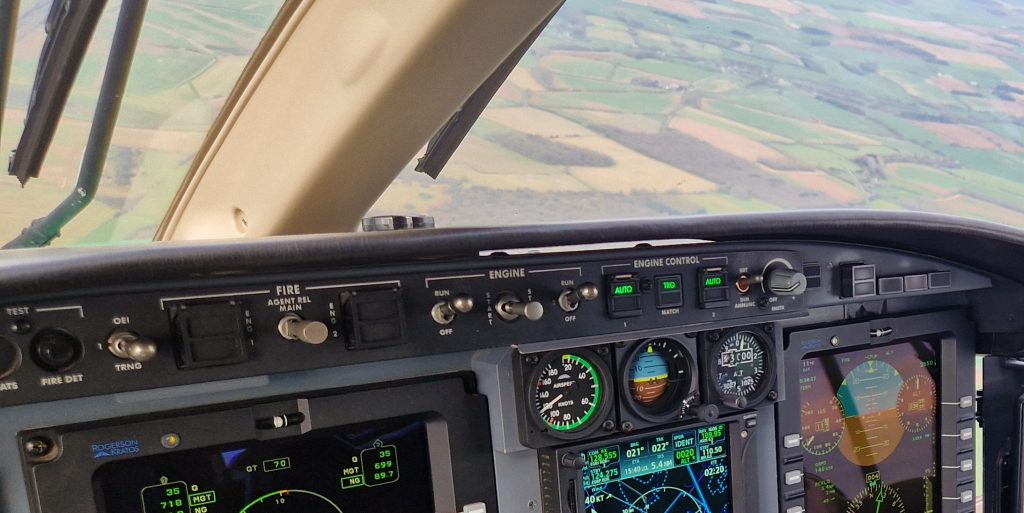
The Training Mode has similar exit conditions to the other aircraft. For example it exits automatically if rotor speed droops to 90% NR. The instructor pilot can deselect the switch or crack a throttle to exit the mode “hands on”.
AW169
The AW169 also has a Training Mode. As for H145, it is activated by a simple button. It also keeps both engines at flight, providing the appropriate engine OEI limit cues and rotor speed response. Similarly to the AW109, the instructor can exit the mode using the same button or they can use the LIM SEL button on the collective to remain hands on. The Training Mode button has a plastic guard over it which could mean there is a delay in exiting the Mode promptly.
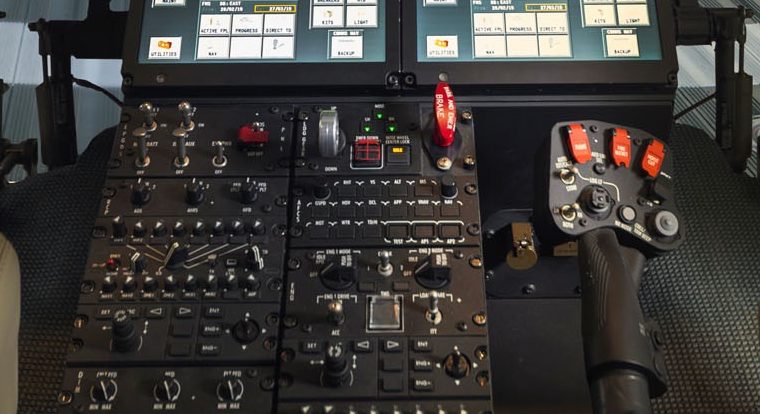
The AW169 has a something extra and explicit in the limitations section of the Flight Manual for Training Mode:
The usage of Training mode is restricted to Category A Take-Off and Landing, Flyaway and Safe OEI Vertical Reject procedure.
This innocuous limitation warrants further study.
Certified Usage
Before we can look at the certification of Training Mode we need to look at Category A.
Category A
Right back at the start we mentioned that Training Modes were introduced as a means for training for Category A procedures. Category A procedures are flight profiles designed to ensure that the helicopter and its occupants are safe should there be a failure of an engine.
Typically this includes a “clear area” profile for use on runways or strips which is a “normal” helicopter transition just with strict speed and height criteria. In addition there is normally a helipad profile and a confined area or vertical profile for tighter spots. In each case they are detailed instructions in the flight manual for the pilot to follow to ensure they can either land safely or remain airborne safely dependent on when an engine failure occurs.
Additionally, the manufacturer of the aircraft has to provide performance information so the pilot knows what the maximum weight they can safely complete the manoeuvres at and climb information so they can calculate the necessary information to clear all obstacles by a margin defined in the regulations (typically 35 ft as a minimum).
Training Mode for Category A
A Training Mode needs a similar set of profiles and performance information as for Normal Category A procedures. Typically the profiles provided are identical to normal, but the performance including the maximum mass limit and climb information can be inferior to normal Category A operations.
The information for Training Mode is typically provided in a supplement to the Flight Manual, which is generally entirely separate to normal Category A operations.
It is worth noting that in each case, for all the aircraft listed above, the Training Mode includes information about its use during Category A profiles. In each case, the Training Mode Flight Manual supplements provide a few cautions and warnings about the Mode’s usage
Limitations on Training Mode
As already highlighted, performance information is provided for use when utilising Training Mode. The core chart for the pilot in most cases is the Weight, Altitude and Temperature (WAT) chart. This gives the envelope of those parameters where the Training Mode can be used safely. Notably the Bell 429 does not have a separate chart and uses the normal Category A WAT chart.
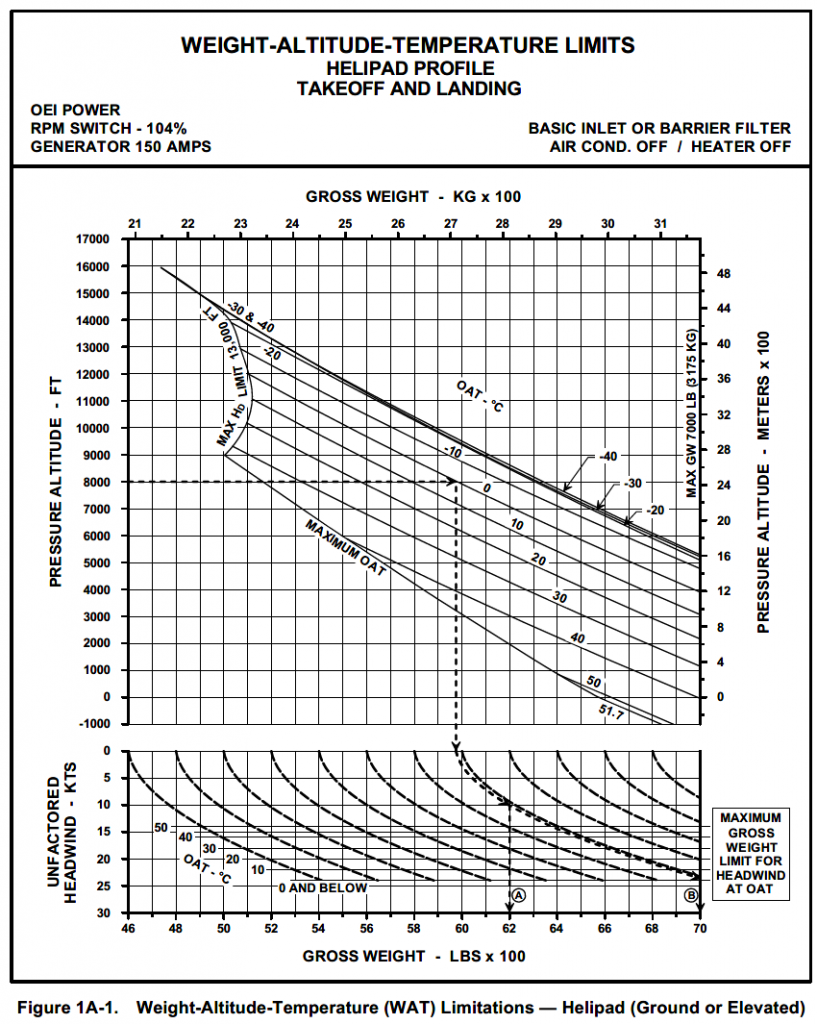
The limitations in the WAT chart mean that if the Training Mode is used at weights, altitudes or temperatures beyond the limits, the pilot may not be able to safely reject or continue a take off using the Category A profiles if Training Mode is selected. This could lead to a hard landing
Real example – Swedish AW139 Training Accident –
In a real world example of this an AW139 was being used for live engine reject training due to a visual field limitation of the flight simulator that didn’t have screens low down enough for the steep departure. The aircraft was above the recommended weight and when it all went wrong, the aircraft ended up doing a very hard landing.
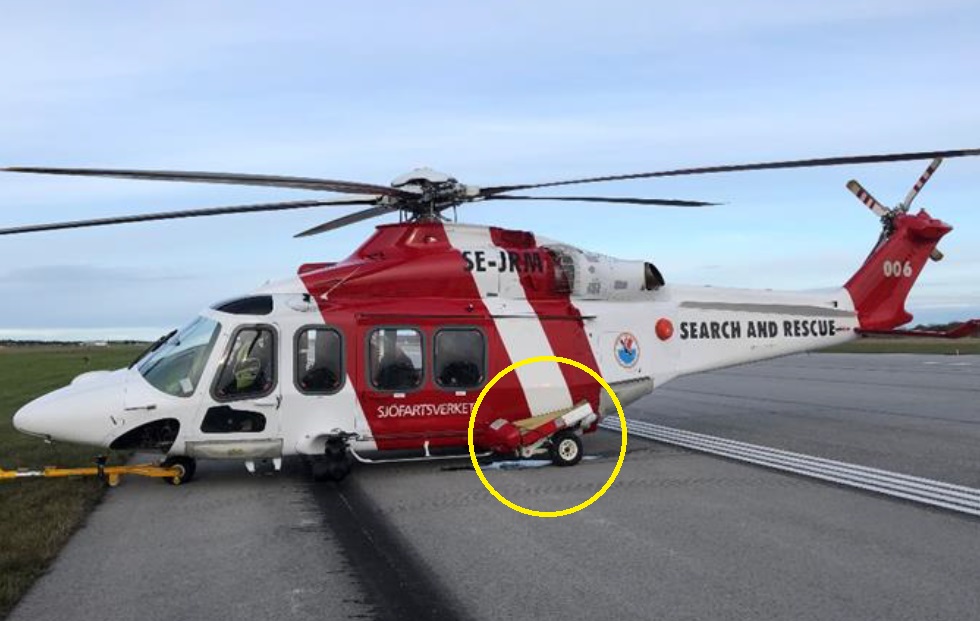
The incident also highlighted that the means for the instructor to exit the mode was an awkwardly placed TQ LIM override button on the collective, with a similar function as described above on AW109 and AW169. He could not get his fingers to it in time to exit the mode. Some important lessons there.
Alternatively the rotor speed could droop to a level that leads to an automatic exit from Training Mode. The latter option sounds like a benign “safe” recovery. That is far from the truth.
Automated Exits from Training Mode
In all of the aircraft above, the Training Modes include an automatic exit criteria based on the rotor speed. This provides a low workload way to transition back to normal conditions without pilot input. Brilliant, no requirement for the instructor to have to intervene to save the aircraft, the automatics can do it.
A graceful exit?
Except, this is usually not a graceful exit. In all cases, the Training Mode has reduced the power output of one or both engines to provide a realistic simulation. The rotor speed is allowed to reduce once this power limitation is reached. On return to normal flight conditions, the rotor speed datum returns to normal.
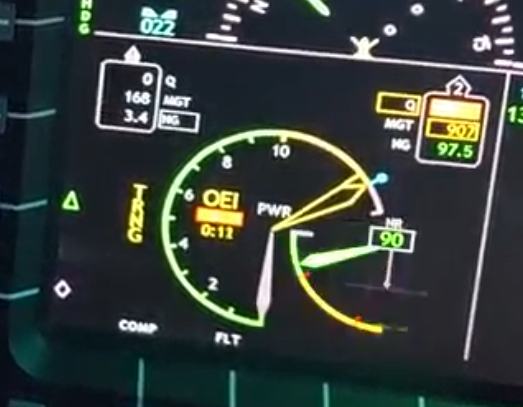
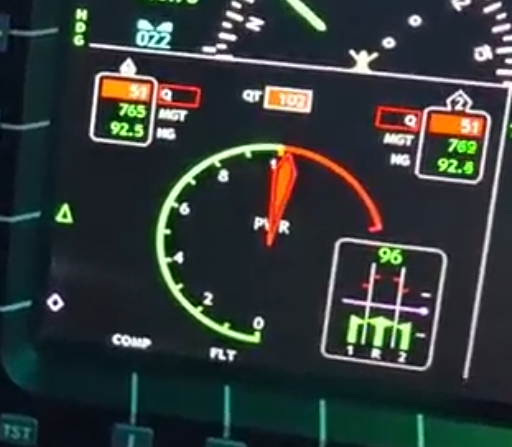
The rotor speed is significantly below the normal level (eg 87% in the case of AW109E) requiring a large increase in fuel flow to correct. The rapid increase in fuel flow comes with an attendant increase in engine torque which is indicated to the pilots as a large torque spike. This also requires a large correction in yaw pedal input to keep the aircraft straight, further increasing fuel flow and torque.
The ground’s influence
Dependent on the aircraft’s position in space, the ground may also have an influence. Typically a large droop in NR during OEI training is because the aircraft is descending too quickly and is close to obstacles. Typically the pilot will be pulling a lot of collective already (hence the droop) and may continue or increase that input. More fuel flow, more torque.
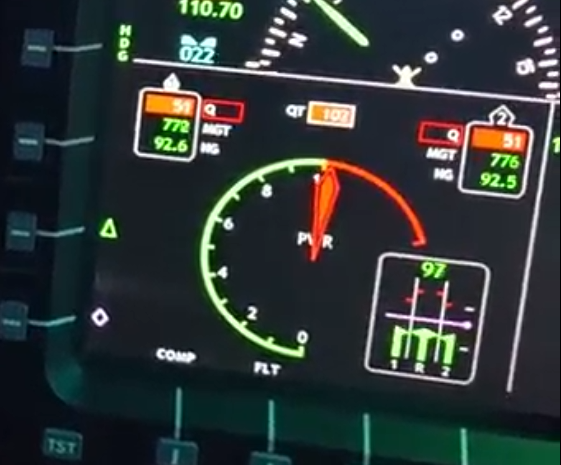
The possibility of a large torque increase during an automatic exit from Training Mode is anticipated by the manufacturers. For that reason, they all warn that an exit from Training Mode in this way requires close monitoring of torque values due to this eventuality. A well trained instructor knows of course to intervene before this point to allow for a more graceful exit where ground proximity does not exacerbate the problem!
There are some circumstances where an automated exit is not going to help. This is particularly relevant on AW109.
When Automated Training Mode Exits Cannot Help
On the AW109E, the reject from a helipad departure before Takeoff Decision Point (TDP), is quite a dynamic manoeuvre. The pilot must maintain rotor speed with collective then pitch nose down (up to 20 degrees!) to initiate a descent to the helipad.
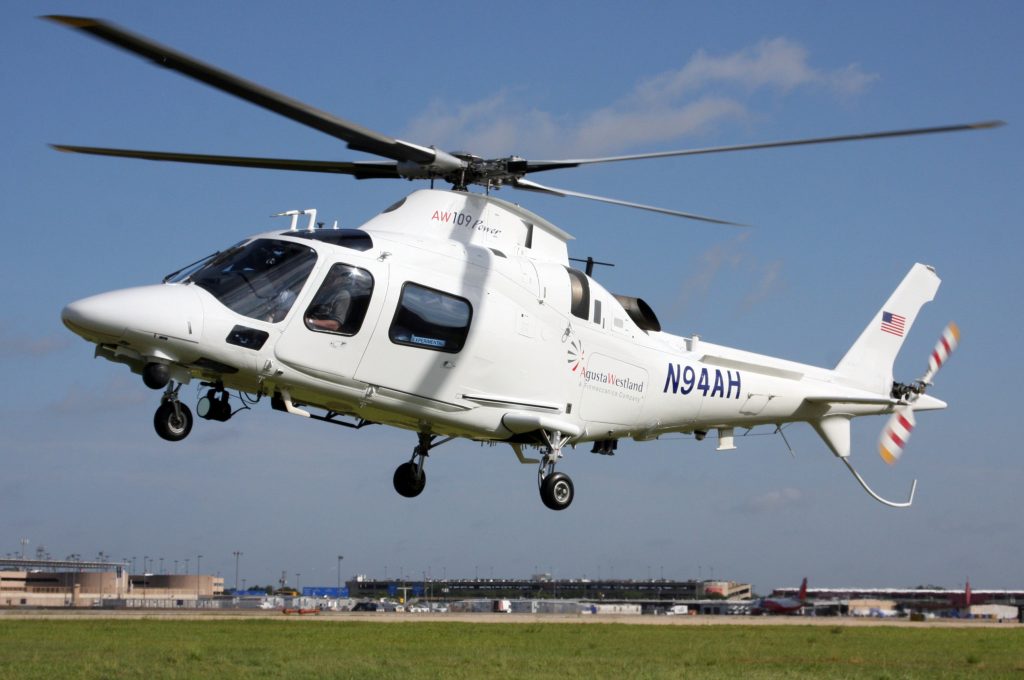
If the initial collective input is a little excessive before the pitch down, the aircraft can be in an awkward low height, low airspeed condition with the engines in Training Mode. Physics can take over with the whole cockpit screen filling with a plan view of the ground and a need to rapidly exit training mode.
The rotor speed change is balanced out by the drop in collective and pitch over meaning that the automated exit will not have occurred. The instructor needs to immediately take control and exit the mode. On AW109 the LIM OVRD switch is mercifully close to hand but this would be a lot harder to achieve on an H145 with only the Training Mode button available (remember its the same hand as the cyclic).

With that nightmare scenario in hand, let’s go back to that AW169 restriction of the Training Mode to Category A profiles.
Training Mode – Beyond Category A
The AW169 explicitly limits the use of the Training Mode to the Category A profiles. What hazard is that limitation trying to mitigate? Why haven’t the other types got similar limitations?
Hazard of Training Mode outside Category A
Let’s look at some scenarios for use of Training Mode outside Category A:
- Free air hovering such as Police surveillance
- Confined area operations
- Winching operations
- En route engine failures
- Realistic response to simulated engine fire emergency procedures
- Dynamic manoeuvres such as wingovers, quickstops or pedal turns
- Maintenance check flight (MCF) manoeuvres like spot turns, sideways or backwards flights
In each of these cases, useful training can be achieved by inducing an engine failure during the manoeuvre. Let’s examine them in more detail.
Free air hovering
Many helicopter roles require free air hovering. This includes In Ground Effects hovers, rising to include Out of Ground Effect (OGE) hovers up to thousands of feet.

For the higher hovers there is actually minimal risk provided the maximum weights from the appropriate supplement are respected (for the actual altitude and temperature of course). The position of the aircraft and likely rotor speed droop are likely to be relatively normal. Should higher masses be used, the rotor speed droop could be rapid leading to an automated Training Mode exit and over torque
For the lower hovers, the ground begins to play a part. Even for masses inside the WAT chart limits, ground rush could induce an inappropriate response from the pilot but it is unlikely as an OGE hover is very close to the conditions in a normal Category A helipad departure. Where the real risk lies is if the weight of the aircraft exceeds the WAT chart. The combination of rotor speed droop and ground rush will likely lead to a huge over torque and/or hard ground contact.
Perhaps something best experienced in a simulator. Maybe the AW169 limitation in the Flight Manual is onto something.
Confined Area Operations
When designed a Training Mode, the manufacturer assumes the aircraft will be in Category A environment where obstacle clearance has been calculated in accordance with the provided performance charts. Should Training Mode be used in a confined area environment, for example a Performance Class 2 HEMS landing site or a military confined area, the response of the aircraft in Training Mode might lead to erosion of the margins from obstacles before the instructor can intervene.
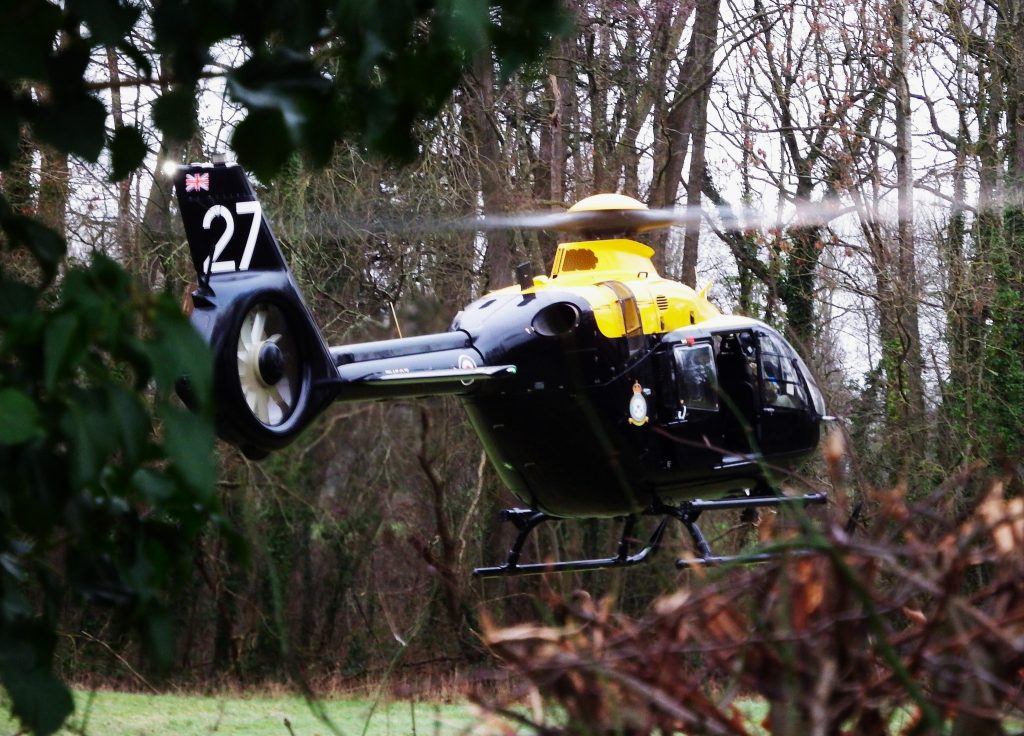
Again, perhaps something for the simulator or a more easily exited condition like a single engine equivalent torque.
Winching Operations
Hopefully it goes without saying that using a Training Mode with actual people dangling under the aircraft is reckless. Don’t do that.
En Route Engine Failures / Fire Drills
Using Training Mode for an en route engines failures or fire drills might sound benign. The aircraft is in the cruise at higher speeds than Category A profiles so there’s likely to be plenty of power remaining. Unless of course you are at a power setting that exceeds single engine maximum speed. In that case you might rapidly find the simulated power limit in training mode is insufficient for sustaining the current condition potentially leading to rotor speed droop without rapid deceleration or height loss.
With careful thought, this is likely to be fine. But remember to think about what the current power level is as an instructor when you initiate a Training Mode event. The Airbus Helionix system provides the blue line in the FLI to help with judging this.
Dynamic manoeuvres / MCF
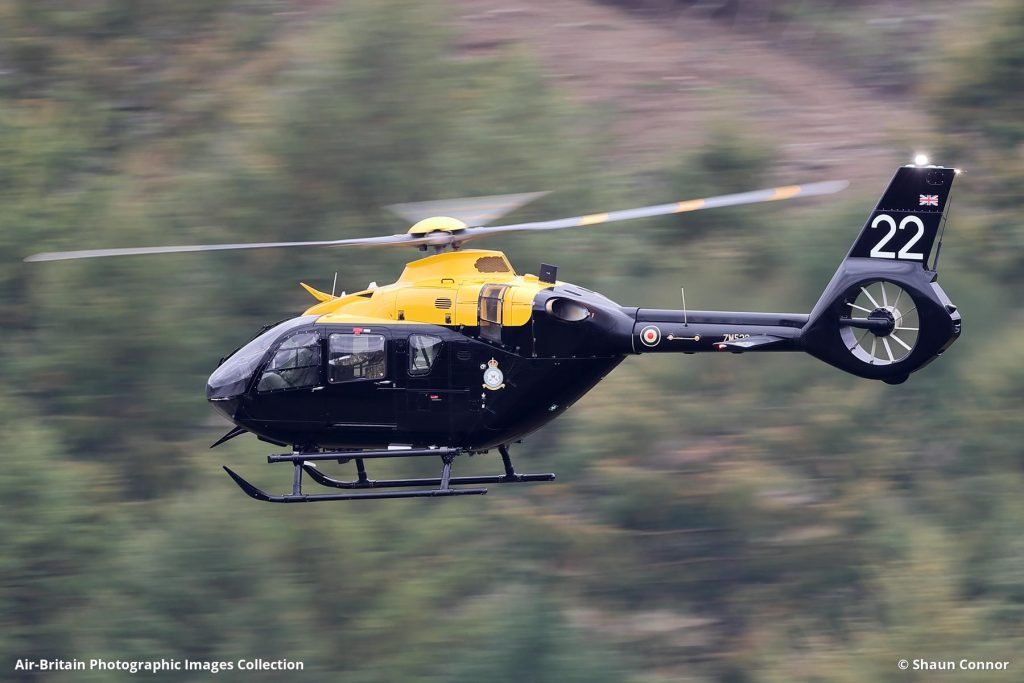
The Training Mode designer never envisaged the use of Training Mode in dynamic manoeuvres close to the ground. The potential for uncommanded mid-manoeuvre Training Mode exits, torque spikes in spot turn recoveries and hard landings are scenarios firmly routed in a simulator. Use Training Mode at your peril.
Conclusions
Training Modes provide some great training on the live aircraft for Category A. Instructors need to be trained in their use and be ready for likely scenarios, aiming for a graceful Training Mode exit where possible.
Use of Training Mode beyond Category A profile training was not envisaged by aircraft designers and is explicitly prohibited on some types (AW169). If you do use it in your operation outside Category A training, ensure you have done a detailed risk assessment and you provide guidance for crews on what is allowed and likely pitfalls and errors. Guidance from the manufacturer must be sought if there is any doubt about when use of the Training Mode is appropriate.
Now, take a look at some of our other articles.
- Engine Failure Training Mode – A safety tool that will punish the unwary
- Automated take offs – Pointless or are they the new standard?
- Keeping up with the Norwegians – Six amazing innovations for UK HEMS
- LNAV/VNAV (SBAS) – Are they approved for use in the UK?
- Helicopter 2D IFR approaches – Is CDFA the best choice?

- Understanding Helicopter Flight Manuals – Everything you need to operate safely

- Post Maintenance Flight Tests – How to avoid fatal traps

- First Limit Indicators in Helicopters – Deadly mistakes to avoid
- Bad Vibes – How to report vibrations on helicopters
- Autopilots, cross-checks and low G in helicopter unusual attitude recovery
- Expert site surveys – Improving the assessment of onshore landing areas
- Lights, helipad, action! The problem with new helicopter pad lights
Leave a Reply